Thursday, July 21, 2011

Ubuntu Unity - some additional thoughts, some alternatives including Unity 2D and Lubuntu

Here are a couple of links to the Ubuntu forums on some discussion about Unity.

I am dating the articles so that myself and readers can see some chronology. Some of these posts on Unity were on some alpha/beta versions of 11.04 before the official release.

Post began May 1st, 2011 Improving Unity - http://ubuntuforums.org/showthread.php?t=1746352

Post began March 20th, 2011 Have you changed your mind about Unity? - http://ubuntuforums.org/showthread.php?t=1711109

Some info on the latest of the next Ubuntu release, Oneiric Ocelot Ubuntu 11.10.

Run Ocelot, Run! (Unity Report for 13 July) - http://www.omgubuntu.co.uk/?p=17599

Some more Unity story/article links.

Ahhh, the ultimate guide on Unity with a butt load of links posted by a Ubuntu Community Team, Canonical Ltd. developer, Jorge Castro. I've seen him on the Ask Ubuntu site too!

Apr 22, 2011 The Power User's Guide to Unity - http://www.linuxtoday.com/news_story.php3?ltsn=2011-04-22-011-41-NW-AP


This ^ links to here -> The Power User’s Guide to Unity -http://castrojo.tumblr.com/post/4795149014/the-power-users-guide-to-unity

May 10, 2011 How Ubuntu's Unity Can Be Improved - http://www.linuxtoday.com/infrastructure/2011051000439OSDVUB

This ^ links to here -> May 9, 2011 How Ubuntu's Unity Can Be Improved - http://itmanagement.earthweb.com/osrc/article.php/3932966/

May 18, 2011 Other Linux Distros' View of Ubuntu's Unity: It Ain't Pretty - http://www.linuxtoday.com/infrastructure/2011051800141OSDT

This ^ links to here -> May 17, 2011 Other Linux Distros' View of Ubuntu's Unity: It Ain't Pretty - http://itmanagement.earthweb.com/osrc/article.php/3933716/Other-Linux-Distros-View-of-Ubuntus-Unity-It-Aint-Pretty.htm

Apr 25, 2011 Ubuntu's Unity in 11.04 - Not All That Bad - http://www.linuxtoday.com/news_story.php3?ltsn=2011-04-25-007-41-OP-GN

This ^ links to here -> April 18, 2011 Ubuntu's Unity in 11.04 - Not All That Bad - http://all-things-linux.blogspot.com/2011/04/ubuntus-unity-in-1104-not-all-that-bad.html

May 20, 2011 Top 4 Lightweight, Official Ubuntu Based Alternatives for Ubuntu 11.04's Unity - http://www.linuxtoday.com/infrastructure/2011052000139OSHLUB

This ^ links to here -> May 18, 2011 Top 4 Lightweight, Official Ubuntu Based Alternatives for Ubuntu 11.04's Unity 3D - http://www.techdrivein.com/2011/05/top-4-lightweight-official-ubuntu-based.html

This ^ article also talks about Lubuntu and Unity 2D as well as Kubuntu and Xubuntu.

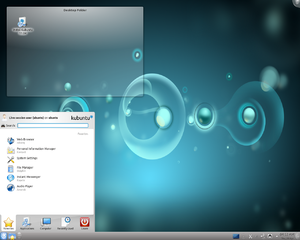
Lubuntu is Ubuntu running the LXDE or the lightweight version of the X11 Desktop Manager similar to how Kubuntu and Xubuntu run Ubuntu in alternate desktop managers, KDE and XFCE. Apparently, Lubuntu or the LXDE system is even lighter than the already light XFCE, that is it uses less resources such as memory and hdd space and/or other low-spec hardware. Lubuntu might also be a great alternative for tablet PCs and/or netbooks.

Links to information on Lubuntu and LXDE.


Lubuntu - https://wiki.ubuntu.com/Lubuntu

LXDE - https://wiki.ubuntu.com/LXDE

Install LXDE on Ubuntu 10.04 - http://www.youtube.com/watch?v=IbObK2_YQls

June 29, 2008 - LXDE - Lightweight X11 Desktop Environment for Ubuntu - http://www.ubuntugeek.com/lxde-lightweight-x11-desktop-environment-for-ubuntu.html

Lubuntu - https://launchpad.net/~lubuntu-desktop

LXDE - https://launchpad.net/~lxde

Lubuntu - http://lubuntu.net/

LXDE - http://lxde.org/

An article on using a GNOME like menu interface with Unity using Cardapio.

May 17, 2011 Get the Best of Both Worlds,Your Own Alternative to the Default Unity Main Menu - http://www.linuxtoday.com/infrastructure/2011051700739NWSWUB

This ^ links to here -> May 15, 2011 Get the Best of Both Worlds,Your Own Alternative to the Default Unity Main Menu - http://www.ubuntuvibes.com/2011/05/get-best-of-both-worldsyour-own.html

Edit: 8-22-11

Here is another article on Cardapio.

Use A Classic Menu In Unity (ClassicMenu Indicator Or Cardapio) - 04 Jun
2011
- http://www.webupd8.org/2011/06/use-classic-menu-in-unity-classicmenu.html

Some articles on using GNOME 2 in Ubuntu 11.04 also known as Ubuntu Classic.

How To Switch Back to the Old Gnome Interface in Ubuntu 11.04 - May 3, 2011 - http://techhamlet.com/2011/05/how-to-switch-back-to-the-old-gnome-interface-in-ubuntu-11-04/

Ubuntu 11.04 Change From Unity To Classic Gnome - March 5th, 2011 - http://scottlinux.com/2011/03/05/ubuntu-11-04-change-from-unity-to-classic-gnome/

Ubuntu 11.04 : Uninstall Gnome3 and revert to Gnome 2.x - April 26, 2011 - http://www.ajopaul.com/2011/04/26/ubuntu-11-04-uninstall-gnome3-and-revert-to-gnome-2-x/

Some tools to configure Ubuntu 11.04 Unity - Confity and Gunity, and some additional Ubuntu 11.04 thoughts

Earlier I posted about the Compiz Configeration Settings manager or CCSM. In this post, I link to two alternate settings managers developed by users of Ubuntu. The two are Confity and Gunity. Why would anyone use these instead of CCSM? Well, apparently, after doing some research it seems that CCSM can break Ubuntu and Unity. How or why I have no clue and will post some specifics later, hopefully. (such as, see the comment section here -> Easily tweak the Unity desktop with ‘GUnity’ - http://www.omgubuntu.co.uk/2011/05/gunity-app-lets-you-tweak-the-unity-desktop/
)Anyways, check these out if interested.

Easily tweak the Unity desktop with ‘GUnity’ - http://www.omgubuntu.co.uk/2011/05/gunity-app-lets-you-tweak-the-unity-desktop/

Easily Configure Ubuntu’s Unity Interface With Confity [Linux] - http://www.makeuseof.com/tag/easily-configure-ubuntus-unity-interface-confity-linux/

Confity by petrus6 - http://sourceforge.net/projects/confity/

‘Confity’ lets you configure Ubuntu 11.04 Unity easily - http://www.omgubuntu.co.uk/2011/05/confity-lets-you-configure-unity-easily/

Confity & Gunity - 2 Simple tools to configure Unity the easy way - http://www.linuxtoday.com/infrastructure/2011052301239OSHLUB

which links to:

Confity & Gunity- 2 Simple tools to configure Unity the easy way - http://www.unixmen.com/linux-tutorials/linux-distributions/linux-distributions4-ubuntu/1732-2-great-tools-to-configure-u

Configure Unity with Confity & Gunity - http://www.ubuntu-corner.com/2011/05/configure-unity-with-confity-gunity/#more-431

Change Unity Settings Easily With Confity - http://www.addictivetips.com/ubuntu-linux-tips/change-unity-settings-easily-with-confity/

One point I saw someone make on a comment section here -> ‘Confity’ lets you configure Ubuntu 11.04 Unity easily - http://www.omgubuntu.co.uk/2011/05/confity-lets-you-configure-unity-easily/ makes a very good point. While the Canonical development team has focused on bugs and stability in Ubuntu 11.04 some things have been overlooked or underdeveloped due to time constraints. Thus, things like configuring Unity has been severely restricted. However, the beauty in the Ubuntu community and Linux community in general is that a few dedicated people have developed software especially for these uses, such as Confity and Gunity.

However, I see many complaints about this or that in Ubuntu's latest release. I haven't been a Ubuntu user for long, just over a year, but if I didn't not like something in Ubuntu that has changed I would look for something new, and the beauty about Ubuntu and Linux distros in general is that there is something for everyone and you and generally tweak the heck out of it to suit your needs. For example, if you don't like Unity, there are plenty of ways to not use it either by another distro, switching desktop environments such as GNOME, KDE, or XFCE, and I am sure many more. Heck you can still run older versions of Ubuntu if you like!! I mean you can do this in Windows too, but I am sure there is more support for older versions of Ubuntu even though Canonical does not officially support them like Windows doesn't support '98, XP, etc. I believe Ubuntu 6.04 would have better support because it is open source and I am sure someone has tweak with it to this day, unlike Windows '98!! Of course, I am generally not too hard to please so changes may not affect me or some users as much as others. Agian, the beauty in this system is that the creativity and options are endless like the differences in every single person on this planet.

Another complaint is the time release of Ubuntu. They release versions every 6 months with long-term support versions every 2 years. Some people do not like this since 6 months is not a lot of time to do major updates/upgrades/changes which is true. Take the jump from 10.10 to 11.04. I mean Ubuntu and Canonical were working on Unity with a 10.10 netbook release, but Unity in 11.04 for all is far from perfect. Of course, I have run into far less problems since I generally don't get into the guts as much as others, but I have noticed some nuances which are somewhat annoying, but I love Ubuntu and have gotten used to some small errors which does not stop me from uninstalling to another distro or version nor stops me from doing daily tasks. Also, with time the release is getting better, and I would put money on 11.10 and 12.04 being pretty damn good. Anyways, my point is, yes, the time table is short and can cause some development issues, but why complain when there are several options and routes to take to lessen the irritation, such as alternate distros, older versions, and the ability to test Linux using a Live CD or usb stick.

Good article here supporting my thoughts which I found after writing this.

Top 4 Lightweight, Official Ubuntu Based Alternatives for Ubuntu 11.04's Unity 3D - http://www.techdrivein.com/2011/05/top-4-lightweight-official-ubuntu-based.html

Wednesday, July 20, 2011

Improving presentation skills

This is a very important topic to scientist. In order to be effective, a scientist must communicate their findings/ideas/etc. effectively. Generally a presentation of slides is given to an audience. Thus, it is important to have effective speaking skills and effective presentation slides.

I will be posting some links for help, tips, and general information.

This first link is a youtube video by a professor at Penn State in engineering communication. A pretty good informative and brief video.

Improve your PowerPoint - http://www.youtube.com/watch?v=d04w4vvByDI&feature=player_embedded

Unfortunately, presentations and PowerPoint are synonymous these days. Kind of like how, especially in the southern US, people say Kleenex when they mean facial tissue, Band-Aid for bandage, Coke for soda, etc. Of course these tips work for any presentation and slide presenters.

HTML Code: The Beginning - Displaying Code in Blogger (&lt displays <), Bold Code , and a Horizontal Breaker

Edit: 07-20-11 I started this post over 6 months ago, but I never published it. I am truncating it as of now and posting what I have so far. More will come.

Well it finally came. The day to talk about HTML code. I knew it existed, knew a little bit about it, but now I have begun immersion, full immersion (I'm kind of excited to learn this new "code;" I know such a dork).

Ok, so I knew HTML existed due to Blogger and the "Edit HTML" tab under the posting editor, and I think I have done some in Microsoft FrontPage as well for my advisor's website. I've been trying to use it mostly as I have posted before. So I had copied and pasted one post about LaTex line spacing and page breaking which had created a mess in HTML. The post looked fine. It was a carbon copy of what I had copied and pasted style-wise. However, I now decided that I wanted to clean the post up a bit since there were some unnecessary links, colors, and font sizes.

Well first I tried to do the cleaning up and editing in the "Compose" tab. Yeah, that didn't work or help. It seems to layer the HTML code. What I mean by that is that I tried to reduce the font size so I clicked Blogger's Normal style (really annoying that they don't have the normal choice of 12pt, 14pt, etc.) which "fixed" it visually. When I published or viewed the post, however, the fixes were wrong. Some of the fonts were too small. So I jumped into the HTML editor and tried to find the font controller. No problem as it was called something like style = font size etc., but the issue was due to all the other junk surrounding it such as "span" blah, blah blah. I tried to mess around with it to no avail (began getting span errors, etc). So I simply copied the preview (which it appear around the editor; I have never seen it do that before) and pasted it into the HTML which was nice, neat, and straightforward. I then bolded what I wanted hi-lighted by clicking the bold button. It simply puts a <b></b> around your text that you want bolded (I found out how to display the less than and greater than signs for displaying the HTML code in a Wordpress blog here: The Blog Herald - Writing and Publishing Code in Your WordPress Blog Posts). In order to show the less than sign the code & l t must be written without the spaces. In order to display the code without the code displaying the character then the ampersand code &lt must be used. Then I wanted to add...


Here are some links to some HTML coding help and information. I found these while trying to figure out how to insert and horizontal line for breaks in my blog. The code for a simple horizontal line is <hr> which looks like this &lthr&gt wrapped in <code> . Remember to close <code> with </code> , or you will get something like this which only changes the font and the rest of the post will be in courier typewritter font!

HTML Made Really Easy - http://www.jmarshall.com/easy/html/

How to add horizontal line to webpage - http://www.rogersplaceblog.com/2008/02/how-to-add-horizontal-line-to-webpage.html

WordPress.com Blog Bling: Signatures and Writing Code - http://lorelle.wordpress.com/2007/02/04/wordpresscom-blog-bling-signatures-and-writing-code/

Writing Code in Your Posts - http://codex.wordpress.org/Writing_Code_in_Your_Posts

Installing fonts in Ubuntu

For those interested here is a link from scottlinux.com on installing fonts in Ubuntu.

Install Fonts in Ubuntu Linux - http://scottlinux.com/2010/10/24/install-fonts-in-ubuntu-linux/

I'll post more as I come across it on fonts and Ubuntu.

Saturday, July 16, 2011

Adobe Flash player plugin not installing upgrade for Ubuntu 11.04

So, for some reason an Adobe Flash player plugin would not install an upgrade on my laptop and ONLY on my laptop. Ubuntu is not perfect and does weird things like this. Flash worked fine on my office desktop and my home desktop but not my laptop. I also tried various browsers such as Firefox and rekonq, but everything that ran flash on the web insisted I upgrade Adobe. So I did, or thought I did, because I clicked the link to Adobe's site, downloaded the correct version (APT for Ubuntu), it opened in Ubuntu Software Center, and I clicked to use it tab. However, there was no indication that Adobe had installed the upgrade. Tried this several times which of course is insane according to Einstein and of course did not work.

This is how it is supposed to go:

Installing Flash on Ubuntu - http://www.psychocats.net/ubuntu/flash


Even though that post says it is for 10.10 and doesn't work for 11.04, you can still follow the same procedure up until it the install button appears, which it doesn't.

So I finally figure I could try using the Synaptic Package Manager. I typed adobe in the search and the first thing that lists is the Adobe Flash Player plugin installer. So I click and highlight it. Then right click and select the re-install option and then click Apply at the top. Whatta ya know, it worked!


This link shows how to install the three ways, website, Software Center, and Synaptic Package Manager.

Install Adobe Flash Player in Ubuntu 11.04 Natty Narwhal - http://www.myapitips.com/2011/04/20/install-adobe-flash-player-in-ubuntu-11-04-natty-narhwal/

And also check out this informative post by ubuntu4beginners:


Adobe Flash Player 11 Beta (both 32 and 64 bit) is available, Easy Installation in Ubuntu - http://ubuntu4beginners.blogspot.com/2011/07/adobe-flash-player-11-beta-both-32-and.html

Friday, July 15, 2011

Presentations using LaTeX - the Beamer package

Wooooo!!! I am giddy with excitement. No more power point!!! Ok, so I am venturing into a new realm of LaTeX using Beamer to setup a pdf presentation. What I have seen so far is amazing. It can probably do most features of power point or any other office suit presentation creator. The best thing is not only having to not use PP, but also having the ability to simply cut and paste your LaTeX code!! I'll let you know more as it rolls in. Here are some helpful links:

Norm Matloff's Quick Tutorial on the Beamer Package for Slide Making in LaTeX - http://heather.cs.ucdavis.edu/~matloff/beamer.html


One this ^ page is a great link which downloads a great example of using Beamer in Beamer (pdf) from Wake Forest:

Steve Wicker's slides - http://www.wfu.edu/~wickersg/latex/beamer/beamer.pdf


Edit/Update:

After speaking with a colleague of mine about beamer, I decided to do a little more research. He/she suggested Keynote, an Apple product. They state that presentations should be graphic and that beamer is lacking in this sense. However and unfortunatley, Keynote is not free, and if it is cheap it will not run on anything but a Mac. Of course I respect opinions and everyone has there way and preferences. Mine of course is based on availability, how well it works, and the ability to create with some guidance. I think beamer could be quite nice as I think it can do enough graphic stuff and save me time with LaTeX "coding."

I found this nice forum discussing some graphics and beamer issues/alternatives/experiences. Some good links here and relatively up to date (Nov 2010). Some Ubuntu forum topics can be quite old and not helpful as Ubuntu is updated so frequntly.

Preparing presentation with Latex and Animation - http://ubuntuforums.org/showthread.php?t=1612591

Installing Ubuntu and some initial things to do

One of the first things I do when installing a fresh copy of Ubuntu on a machine is to install my favorite and most used programs.

Kopete - a pretty good IM KDE software; I have Google, Windows Messenger, and Skype linked to it; it can also do Yahoo, AOL, and many more messenger services

Foxit PDF Reader - a good, lightweight PDF reader that is free, I like Foxit over Okular because the text selection tool automatically copies when you release the mouse button; since this post though I really have liked using Okular and the installed pdf document viewer that comes with Ubuntu, the GNOME evince software

Mendeley Desktop - free bibliography editor; I prefer this over Zotero; not much of a hassle exporting to LaTeX either as a simple .bib file

Kile - my favorite LaTeX editor for Ubuntu/Linux

Okular - I install this with Kile since it is the default PDF reader and isn't too bad function-wise either; I basically didn't want to mess with setting up Foxit since Okular does a fair job; Okular also is able to view .djvu/.djv files but I've found it has issues sometimes with displaying the material (blank pages) so I use the GNOME based evince document viewer

Texmaker - my second favorite LaTeX editor; I keep it around in case Kile acts up or I need a cross-platform LaTeX editor

Skype - nice IM and video calling software

Teamviewer - free program that works amazingly when wanting to share your desktop with another; it is also cross-platform

Inkscape - a great vector based drawing program

pdf Shuffler - a good, basic pdf tool which allows you to cut/add/rotate pages

Shutter - a nice snapshot program to take screen shots and such of your desktop; I also use and like the default snapshot software that comes with Ubuntu, I think it is simply called Take Screenshot

Thunderbird - a great email client for the desktop, heard it is replacing Empathy as the standard Ubuntu email desktop client in the 11.10 version; it should be. I don't really use clients that much, but with Thunderbird I can see myself using it a lot more for contacts and such.

Remmina Remote Desktop Client - a pretty good remote desktop viewer; I use Teamviewer as much as I can now though, so this is a good backup

KCharSelect - this is the KDE version of CharSelect; I like this one better because you can search and I haven't found a way to do it with the standard Ubuntu character select

Chromium - the un-Googled version of Chrome; only like a %1 difference; I just like to be different and as open sourced as possible, :)

Octave - a great MATLAB replacement

OtOctave - a great GUI for Octave

QtiPlot - a great Origin replacement

GNOME's evince document viewer - This is actually a really powerful viewer I have found out; It displays many document formats flawlessly and is incredibly fast and light weight feeling - http://www.gnome.org/projects/evince

I'll add more, so come back periodically.

Evolution of Ubuntu Over the Years - A Brief History | Tech Drive-in

In case you were curious, here is a link over the history of Ubuntu editions.

Evolution of Ubuntu Over the Years - A Brief History | Tech Drive-in: "Evolution of Ubuntu Over the Years - A Brief History"

Thursday, July 14, 2011

Thunderbird email client by Mozilla and the AttachmentExtractor add-on

If you haven't already, I recommended trying Mozilla's free, open-source, cross-platform mail client called Thunderbird. It's pretty amazing. I have a couple of email accounts forwarded to Google's gmail. However, I was trying to download attachments from multiple emails. I began opening each email, waiting for virus scan to finish, then click on the file. Thunderbird has a plug-in for attachments which allows you to click on the emails with the attachments and download them in one swoop. Thunderbird was very easy to setup, all I did was enter my email account name and password and it automatically imported emails (not contacts, apparently, but I am sure there is a way).

To install the app or plug-in go to the Tool menu and click the Add-on option. Then just search by typing in attachments and the program AttachmentExtractor should be one of the, if not the, first app selections. Install and restart thunderbird and viola!

For Ubuntu users, Thunderbird is in the Software Center.


LaTeX - link for Accents

Here is a quick link for accents for letters from wikibooks.

LaTeX/Accents - http://en.wikibooks.org/wiki/LaTeX/Accents

Wednesday, July 13, 2011

Please Make A Note: How to Cite a Blog & Automatically Generate Citati...

Please Make A Note: How to Cite a Blog & Automatically Generate Citati...: "The MLA format for citing a blog is: Last Name, First. 'Title of Entry.' Weblog Entry. Title of Weblog. Date Posted. Date Accessed (URL). ..."

Monday, July 11, 2011

Please Make A Note: Total Number of Posts and Comments - Blogger Gadge...

Here's a nifty post from PMAN on how to use the HTML/Javascript gadget to display the total number of blog posts and comments.

Please Make A Note: Total Number of Posts and Comments - Blogger Gadge...: "You can add the total number of posts and comments as a blogger gadget. In your design page, add an HTML/Java Script gadget, and put in the ..."

Sunday, July 10, 2011

Dealing with .rar files in Ubuntu

In order to be able to uncompress .rar files in Ubuntu you can install the unrar app from the Software Center or in the terminal type:

sudo apt-get install unrar

You can search for unrar in the Sc by typing rar or unrar.


There is a free version and not free version. I installed the not free version, but it must install both because I haven't seen anything about paying.

To use unrar simply right-click the file and select "Extract here" or open one of the Archive Managers for more options.


In the terminal the command "unrar e ~/filename.rar" should extract/upack the file(s). Found here: Unpack RAR Files In Ubuntu 10.10 Maverick Meerkat With unrar - http://www.jonathanmoeller.com/screed/?p=2354 @ the website Help Desk Screeds - tips, tricks, and hints for those distressed by computers by Jonathan Moeller - http://www.jonathanmoeller.com/screed/


unrar e ~/archive.rar

Also see these links for additional information on compression file types and unrar.

http://ubuntuforums.org/showthread.php?t=1736110

http://ubuntuforums.org/showthread.php?t=1588047

http://www.techienote.com/tag/ubuntu-11-04/page/9

https://help.ubuntu.com/community/FileCompression

http://www.techienote.com/2010/10/open-rar-files-in-ubuntu-10-10.html

http://opencheese.com/2009/05/08/ubuntu-how-to-unrar-rar-files-with-ubuntu/

Posting LaTeX equations in Blogger

Here are some links to a few useful ways to post LaTeX equations in Blogger.

First a set of links from PMAN. The first is the latest followed by a couple of older ones to show you PMAN's progression. I "shared" the post earlier and I accidentally switched two in chronology. Here they are in correct order from latest to earliest.

Please Make A Note: How to Post LaTeX Equations in Blogger


Edit: 8-5-11

Well, the codecogs thing is nice but not perfect. It doesn't seem to work with LaTeX environments such as
\begin{align} \end{align}


These are outdated, but maybe interesting reads for readers.

How to Post Math Equations in Blogger Using Latex

How to Post Math Equations in Blogger using ASCIIMathMIL


Edit: 8-5-11, I couldn't get this watchmath.com thing to work. I don't recommend it.


A couple of links from WatchMath @ watchmath.com. The first post is the latest, some links were moved. The second is old but a full explanation of the process. Also check out the rest of the blog. I haven't looked at it much, but it seems to have some good stuff there such as math videos and posts.

How To Install Latex On Blogger/Blogspot - http://watchmath.com/vlog/?p=438 July 10th, 2009

The mathtex server is down. Change mathtex2.js on the script into mathtex3.js.

Mathtex3.js using the mathtex server of John Forkosh.

There were some people who moved from Blogger to WordPress because the later has a capability to render math formula/equation/symbols by using LaTeX syntax. I also observed that there are many math Blogger who faithfully stay with Blogger. I believe that given the some capability to write math formula as in WordPress will give more power to the blogger to express their idea and also to make the reader easier to grasp the ide on their article. Besides that of course having latex on your blog make your blog more beautiful . Ok without further ado here are the steps to enable latex on your blogger (thanks to John Forkosh for his mathtex public server and thanks to Randall Farmer for his replacemath javascript)


Finally here is where I found the link to WachMath.com at the blog The tools of the trade. I've also added both WatchMath and The tools of the trade to my blog list.

LaTeX in Blogger/Blogspot:
I was wondering if it would be possible to display latex formulas in Blogger - and of course it is. :-) I found a post by Watchmath describing how this can be done by adding a HTML/Javascript Gadget (like the "Blog Archive" on the right) with a little piece of javascript code. If it works, the following code

X(k) = \sum\limits_{i=0}^{N-1}x(n)e^{-2\pi ik \frac{n}{N}}

Please Make A Note: How to Post Math Equations in Blogger Using Latex

Please Make A Note: How to Post Math Equations in Blogger Using Latex: "In a previous post , I discussed how to post math equations in blogger using the ASCIIMathML script. The advantage of using this method is t..."

Please Make A Note: How to Post Math Equations in Blogger using ASCIIM...

Please Make A Note: How to Post Math Equations in Blogger using ASCIIM...: "I know that most of us working directly with mathematics are looking for a fundamental solution to posting equations on blogger. So far, I w..."

Please Make A Note: How to Post LaTeX Equations in Blogger

Please Make A Note: How to Post LaTeX Equations in Blogger: "I've gone through several approaches to post math equations on blogger (check my previous posts here, and here ). I found that the most eff..."

Friday, July 8, 2011

Kile Online Documentation

Here is the link for Kile's online documentation.

The Kile Handbook - http://kile.sourceforge.net/Documentation/html/index.html

Linux distros - a good explanation of several of the most popular Linux distributions

I found this link which does an excellent job to describe the most popular/known/used different Linux distros.

http://distrowatch.com/dwres.php?resource=major

I am thinking of testing out a few different distros other than the buntus since I have added two more monitors for a total of four screens. Apparently, the buntus and maybe Linux in general has issues with multiple monitor displays, especially displays which stretch the desktop to consecutively use them all. I have never had a problem with a dual setup. However, now with two video cards and four screen, I am having trouble getting more than two working together. Thus, I may check other distros to se if they can do a better job of handling this problem. It also seems that the newer releases are the most buggy for the Buntus which is backwards but I guess older versions have allowed people to tweak with them to work. I am thinking about Fedora and/or Linux Mint.

Wednesday, July 6, 2011

LaTeX package "listings" - for displaying code in LaTeX

This is a pretty cool package I came across while searching for a way to display Octave (MATLAB) code in a HW set using LaTeX to write it up. Did I mention I love LaTeX?!? I do. I really do. While others would disagree, LaTeX works well for short documents also. Anyways, listings is a pretty cool package as it has built recognition of many programming and code types. If it doesn't have the code type you are working with, you can define it yourself! I actually found out about it on Ubuntu Forums.

LaTeX and displaying code in document - http://ubuntuforums.org/showthread.php?t=439185

LaTeX Packages, TeX Catalogue Online, and CTAN

Finally, I am moving on with some things. Got the thesis submitted to my advisor even though I am not happy with it. Oh well, it is just a Master's, and the important one is the PhD. Hopefully, the journal publications will come through and be more of what I had in mind material-wise. Anyways, I am finally getting to catch up on some things, including the blog. Don't worry (to my advisor), this pertains to my degrees, plus I am not funded anymore by the school, :(.

Back on topic, I apologize for the blog's mess right now. I kind of have some things repeated, scattered, and poor reproduction, especially related to LaTeX and Math features. Just bare with me, and on day it will get cleaned up fully, :P. Plus, if I ever get around to it, some of the material will be presented in a nice way on my wiki-site!

In general, one could just google everything like I normally do, but I hope to catalogue things here for a more concise search and I hope to present it better one day for quicker references!!

Here is a link I stumbled upon which lists a few of the packages in LaTeX and a brief description (not sure if the links work, see the TeX Catalogue Online for links that I know do work).

LaTeX Packages - http://math.kangwon.ac.kr/~yhpark/tex/packages.html

Another link from the Art of Problem Solving or AOPS.

LaTeX Packages - http://www.artofproblemsolving.com/Wiki/index.php/LaTeX:Packages

Link to the WikiBook site.

LaTeX/Packages - WikiBooks - http://en.wikibooks.org/wiki/LaTeX/Packages


And the motherload, the TeX Catalogue Online. This has package indices with a brief description and links.

TeX Catalogue Online, Home Edition, listing 4,048 TeX, LaTeX, and related packages and tools - http://texcatalogue.sarovar.org/


And of course CTAN -"The Comprehensive TeX Archive Network is the place to get materials related to the TeX typesetting system."

Web Interface to CTAN - http://tug.ctan.org/


Here is a section on standard packages from an online html LaTeX guide/book.

Standard packages - http://tex.loria.fr/ctan-doc/macros/latex/doc/html/usrguide/node11.html


The same with a Stanford university domain.

Standard packages - http://www.slac.stanford.edu/comp/unix/package/tex/latex/usrguide/node11.html

I am looking into how to use addition math/font packages so I can incorporate some new symbols into my equations. Sorry, Greek, but there simply isn't enough of you for symbolization!! I'll let you know how it goes. Actually, I am "simply" trying to use the antiquated Greek symbol "qoppa," sometimes also spelled "coppa" or "koppa."

For me: LaTeX packages and software to look at later

yatex - Yet Another TeX mode for Emacs

YaTeX is an intelligent, acquisitive and integrated package which reduces
your efforts of composing LaTeX source on Emacs.

YaTeX automates typesetting and previewing of LaTeX and enables
completing input of LaTeX mark-up command such as `\begin{}'..`\end{}'.

This package also includes yahtml mode, the honest and bright YaTeX-compatible
major-mode for writing HTML. If you have noticed the power of YaTeX, you can
drive yahtml over the HTML files quickly and steadily. And vice versa, of
course.

YaTeX also supports Demacs which runs on MS-DOS(386), Mule
(Multi Language Enhancement to GNU Emacs), and LaTeX on DOS.

For more information, please refer to http://www.yatex.org/

nbibtex - Powerful, flexible replacement for bibtex

Tools to help authors take better advantage of BibTeX data,
especially when working in collaboration. Instead of using BibTeX
'keys', which are chosen arbitrarily and idiosyncratically, nbibtex
builds a bibliography by searching the actual contents of citations.
It can be used as a drop-in, compatible replacement for bibtex.

mendexk - a replacement for makeindex with many enhancements

This is an upper-compatible(but slow) substitute for the makeindex program
which forms part of standard TeX distribution. Mendex features better
Japanese(EUC) support and more.

glosstex - prepare glossaries and lists of acronyms

GlossTeX is a tool for the automatic preparation of glossaries, lists
of acronyms and sorted lists in general for use with LaTeX and
MakeIndex. GlossTeX combines the functionality of acronym, nomencl
and GloTeX. Like GloTeX, it uses the same format glossary definition
files. GlossTeX can be used together with nomencl, nevertheless.

chaksem - LaTeX class for presentations

chaksem is a LaTeX2e class for slides. Based on seminar, it adds
support for running footers as well as itemised and numbered lists,
with a layout that fits nicely to the sans serif font used for text.
There is support for overlays, which includes the ability to accumulate
text and images on the slides for online presentations. Printable
lecture notes with collapsed overlays are also able to be generated from
this class.

biblatex - Bibliographies for LaTeX

The biblatex package is a complete reimplementation of the bibliographic
facilities provided by LaTeX in conjunction with BibTeX. It redesigns the way
in which LaTeX interacts with BibTeX at a fairly fundamental level. With
biblatex, BibTeX is only used to sort the bibliography and to generate labels.
Instead of being implemented in BibTeX's style files, the formatting of the
bibliography is entirely controlled by TeX macros. Good working knowledge in
LaTeX should be sufficient to design new bibliography and citation styles —
there is no need to learn BibTeX’s postfix stack language. Just like the
bibliography styles, all citation commands may be freely (re)defined.

axiom-tex - A general purpose computer algebra system: style file for TeX

Axiom is useful for
research and development of mathematical algorithms. It defines a
strongly typed, mathematically correct type hierarchy. It has a
programming language and a built-in compiler.

Axiom has been in development since 1973 and was sold as a
commercial product. It has been released as free software.

Efforts are underway to extend this software to (a) develop a
better user interface (b) make it useful as a teaching tool
(c) develop an algebra server protocol (d) integrate additional
mathematics (e) rebuild the algebra in a literate programming style
(f) integrate logic programming (g) develop an Axiom Journal with
refereed submissions.

This package contains a TeX style file useful in publishing results
obtained with Axiom.

sketch - 3D diagrams for TeX from scene description language

Sketch is a simple system for producing line drawings of
three-dimensional objects and scenes. Sketch is intended to produce finely
wrought, mathematically-based illustrations with no extraneous detail
and be able to easily overlay TeX math and text. The input language is
reminiscent of PSTricks, so will be easy to learn for current PSTricks
users. It generates either PSTricks or TikZ/PGF code as output.

Note that this package is not the interactive vector drawing program
now known as skencil.

context - powerful TeX format

ConTeXt is a document-production system based, like LaTeX, on the TeX
typesetting system. Whereas LaTeX insulates the writer from
typographical details, ConTeXt takes a complementary approach by
providing structured interfaces for handling typography, including
extensive support for colors, backgrounds, hyperlinks, presentations,
figure-text integration, and conditional compilation. It gives the
user extensive control over formatting while making it easy to create
new layouts and styles without learning the TeX macro language.
ConTeXt's unified design averts the package clashes that can happen
with LaTeX.

ConTeXt also integrates MetaFun, a superset of MetaPost and a powerful
system for vector graphics. MetaFun can be used as a stand-alone
system to produce figures, but its strength lies in enhancing ConTeXt
documents with accurate graphic elements.

ConTeXt allows the users to specify formatting commands in English,
Dutch, German, French, or Italian, and to use different typesetting
engines (PDFTeX, XeTeX, Aleph, and soon LuaTeX) without changing the
user interface. ConTeXt is developed rapidly, often in response to
requests from the friendly user community.

blahtexml - Converts TeX equations into MathML (What the heck is MathML?!?!?!)

Blahtex converts an equation given in a syntax close to TeX into
MathML. Blahtexml is a simple extension of blahtex. In addition to
the functionality of blahtex, blahtexml has XML processing in mind
and is able to process a whole XML document into another XML
document. Instead of converting only one formula at a time, blahtexml
can convert all the formulas of the given XML file into MathML.

auctex - integrated document editing environment for TeX etc.

AUCTeX is a comprehensive customizable integrated environment for writing
input files for TeX/LaTeX/ConTeXt/Texinfo using GNU Emacs. Currently
XEmacs ships with its own AUCTeX version.

texlive-omega - TeX Live: Omega

Omega, a 16-bit extended TeX by John Plaice and Yannis Haralambous

This package includes the following CTAN packages:
antomega -- Alternative language support for Omega/Lambda.
lambda -- LaTeX format based on the Omega engine.
mxd -- Support for Mongolian "horizontal" (Xewtee Dorwoljin) script.
mxedruli -- A pair of Georgian fonts.
omega -- A wide-character-set extension of TeX.
aleph -- Extended TeX.
omegaware --

tex-gyre - scalable PostScript and OpenType fonts based on URW Fonts

The TeX Gyre project, following the Latin Modern project, aims at providing
a rich collection of diacritical characters in the attempt to cover as many
Latin-based scripts as possible.

lout - Typesetting system, an alternative to (La)TeX

Lout is a document formatting system similar in style to LaTeX, i.e.
it works with mark-up files - plain text files containing commands to
control the formatting.

Lout offers a very full range of features, including
* PostScript, PDF, and plain text output
* optimal paragraph and page breaking
* automatic hyphenation
* PostScript EPS file inclusion and generation
* equation formatting, tables, diagrams
* rotation and scaling
* sorted indexes, bibliographic databases
* running headers and odd-even pages, automatic cross referencing
* multilingual documents including hyphenation (most European languages are
supported, including Russian),
* formatting of C/C++ programs.

Lout may be extended by writing definitions which are much simpler than
the equivalent troff or TeX macros.

Lout has several advantages over (La)TeX. It is much smaller, and it is
much easier to understand how to do things in Lout (including writing
definitions) than in TeX or LaTeX. Lout's PostScript output is very small
and clean.

However, it is much less widely used than (La)TeX, so there are
fewer add-on definition packages for Lout than for (La)TeX and fewer
local experts around to ask about problems. You are unlikely to
find many Lout documents floating around the 'net.

texlive-xetex - TeX Live: XeTeX packages

Packages for XeTeX, the Unicode/OpenType-enabled TeX by Jonathan Kew,
http://scripts.sil.org/xetex.

This package includes the following CTAN packages:
arabxetex -- An ArabTeX-like interface for XeLaTeX.
euenc -- Unicode font encoding definitions for XeTeX.
bidi -- Support for bidirectional typesetting with XeLaTeX.
fontspec -- An automatic interface to feature-rich fonts in XeLaTeX.
fontwrap -- Bind fonts to specific unicode blocks.
harvardkyoto -- XeTeX input map for Unicode Devanagari.
mathspec -- Specify arbitrary fonts for mathematics in XeTeX.
philokalia -- A font to typeset the Philokalia Books.
polyglossia -- Modern multilingual typesetting with XeLaTeX.
xecjk -- Support for CJK documents in XeLaTeX.
xecolour -- Support for colour in XeLaTeX.
xecyr -- Using Cyrillic languages in XeTeX.
xepersian -- Persian for LaTeX over XeTeX.
xetex --
xetex-def -- Colour and graphics support for XeTeX.
xetex-pstricks -- Running PStricks under XeTeX.
xetexconfig --
xetexfontinfo -- Report font features in XeTeX.
xltxtra -- "Extras" for LaTeX users of XeTeX.
xunicode -- Generate Unicode characters from accented glyphs.

libjmathtex-java - TeX and MathML library for Java

The JMathTeX library provides a set of Java classes for displaying (complex)
mathematical formulas as part of a Java application. Some use cases are:
* Displaying text with embedded formulas (in an editor pane, a JavaHelp
page, ...)
* Make a combo box which provides the user with a choice between various
formulas.
* Have a slider with ticks that display their values not as decimal numbers,
but as exact values, e.g., fractions, square roots or any combination of
these.
* Display the formula together with the graph of a function.
The library uses the typesetting algorithms of the well-known TeX and LaTeX systems and therefore displays formulas in a very professional looking way. Formulas are Java-objects that can be built from scratch (by combining smaller formulas in several ways) and from LaTeX trings. There is also limited support for MathML.

highlight - Universal source code to formatted text converter

A utility that converts sourcecode to HTML, XHTML, RTF, LaTeX, TeX, SVG, XML or terminal escape sequences with syntax highlighting. It supports several programming and markup languages. Language descriptions are configurable and support regular expressions. The utility offers indentation and reformatting capabilities. It is easily possible to create new language definitions and colour themes.

mathtex - Generate image from LaTeX command

MathTeX is a cgi program that lets you easily embed LaTeX math in your own html pages, blogs, wikis, etc. It parses a LaTeX math expression and immediately emits the corresponding gif (or png) image, rather than the usual TeX dvi.

cm-super - TeX font package (full version) with CM (EC) in Type1 in T1, T2*, TS1, X2 enc

This package ships the full set of cm-super fonts, for a minimal variant install cm-super-minimal.

The CM-Super package contains Type 1 fonts converted from METAFONT fonts and covers entire EC/TC, EC Concrete, EC Bright and LH fonts (Computer Modern font families). All European and Cyrillic writings are covered. Each Type 1 font program contains ALL glyphs from the following standard LaTeX font encodings: T1, TS1, T2A, T2B, T2C, X2, and also Adobe StandardEncoding (585 glyphs per non-SC font and 468 glyphs per SC font), and could be reencoded to any of these encodings using standard dvips or pdftex facilities (the corresponding support files are also included).

cm-super-minimal - TeX font package (minimal version) with CM/EC in Type1 in T1, T2*, TS1, X2 enc

This package ships the 10pt version of the various fonts. For the full set please install cm-super.

The CM-Super package contains Type 1 fonts converted from METAFONT fonts and covers entire EC/TC, EC Concrete, EC Bright and LH fonts (Computer Modern font families). All European and Cyrillic writings are covered. Each Type 1 font program contains ALL glyphs from the following standard LaTeX font encodings: T1, TS1, T2A, T2B, T2C, X2, and also Adobe StandardEncoding (585 glyphs per non-SC font and 468 glyphs per SC font), and could be reencoded to any of these encodings using standard dvips or pdftex facilities (the corresponding support files are also included).

gri - a language for scientific illustration

Gri is an open-source language for scientific graphics programming. It is command-driven, as opposed to point/click. Some users consider Gri similar to LaTeX, since both provide extensive power as a reward for tolerating a learning curve. The output is industry-standard PostScript as output, suitable for inclusion in other documents.

Gri can make x-y graphs, contour graphs, and image graphs. Fine control is provided over all aspects of drawing, e.g. line widths, colors, fonts, etc. Greek letters and mathematical symbols are available in a TeX-like
syntax.

Folks who write 1000-line Gri scripts usually start with something as simple as the following:

open file.dat # open a file
read columns x * y # read the 1st column as x and the 3rd as y
draw curve # draw the data and autoscale the axes

A full manual is also available in HTML (gri-html-doc package), in PostScript suitable for printing (gri-pdf-doc package) and on-line by following links from the gri home page:
http://gri.sourceforge.net/

gpdftext - GTK+ text editor for ebook PDF files

gpdftext opens a simple text-based PDF file, typically intended for reading on an ebook reader and loads the text into a text editor window, autoformatting the text for long lines and paragraph breaks.

gpdftext is useful when the downloaded PDF uses a small font or wastes a lot of space in the margins so that a plain text file would display in a more comfortable font.

gpdftext supports spell checking and editor font selection and can save ASCII content as PDF.

texpower-examples - TeXpower examples

TeXPower is a bundle of style and class files for creating dynamic online presentations with LaTeX.

It is the most complete macro package in this way and therefore in its features quite unique.

This package contains the examples - LaTeX source and resulting PDF's.

Tuesday, July 5, 2011

Don't be afraid to use the Terminal and Command Line Interface

CLI Companion works great so far! It has a command list right at your disposal with descriptions!!

Also check out this Ubuntu Community help link for more on the Terminal and Command Line with inofrmation for commands and descriptions, etc. There are additional links at the end of this Ubuntu Community help page.

Ubuntu Documentation > Community Documentation > UsingTheTerminal

I have also installed Guake which is pretty cool. Default F12 pulls down a Terminal screen for quick Terminal access. However, you could also call the Terminal by the keyboard shortcut Ctl + Atl + T.


Edit: 7-17-11

Here are some more links to Terminal commands.

UBUNTU LINUX HELP - 20 Useful, Common Linux (Ubuntu) Commands for New Users (2009) - http://ubuntulinuxhelp.com/20-useful-common-linux-ubuntu-commands-for-new-users/

UBUNTU LINUX HELP - Friday Fun – Useful Linux Terminal Commands for New Users (2008) - http://ubuntulinuxhelp.com/friday-fun-useful-linux-terminal-commands-for-new-users/

FOSSwire - Ubuntu Cheat Sheet - http://fosswire.com/post/2008/04/ubuntu-cheat-sheet/

https://help.ubuntu.com/6.06/kubuntu/desktopguide/C/terminals.html


Edit: 7-25-11

Top Ubuntu Cheat Sheets - http://www.ubuntuka.com/cheat-sheets-ubuntu/

Saturday, July 2, 2011

Terminal in Ubuntu - some alternatives and CLI Companion command line help app

For those interested in alternate terminal apps in Ubuntu, check out this post on Tech Drive-in.

9 Good Terminal Emulators for Linux

Also, check out this post for CLI Companion, a tool which helps newcomers (like myself) to the command line in the terminal for linux OSs.

CLI Companion - Incredible Tool to Learn Command Line

Link to DL CLI Companion - https://launchpad.net/clicompanion

Check out this post, as well, on TermKit, one of the terminal emulators mentioned in the first link.

TermKit is Terminal Reimagined, Install TermKit in Ubuntu 11.04 Easily

Friday, July 1, 2011

Octave help

Here is the link to Octave's online help document for quick reference.

http://www.gnu.org/software/octave/doc/interpreter/

This link is an Octave Tutorial by Malin Christersson.

http://www.malinc.se/math/octave/thewindowen.php

The Octave Programming Tutorial from WikiBooks which basically taken from the Octave help document.

Octave Programming Tutorial

Since Octave is very similar to MATLAB, here is the link to MATLAB's online documentation.

http://www.mathworks.com/help/techdoc/

Link to an online GNU Octave 3 book by John W. Eaton, David Bateman, Søren Hauberg.

GNU Octave Manual Version 3

http://www.network-theory.co.uk/docs/octave3/

Also check out Octave-Forge. A site that has add-on packages for Octave (they should be in the repository in Ubuntu) with descriptions, mailing list, help, FAQ, etc.

Octave-Forge - Extra packages for GNU Octave

Free non-commerical Intel compiler download link for Linux

For those interested, here is the link to download the free non-commerical Intel compiler software (and more tools) for Linux.

Non-Commercial Software Development

and a link to some help installing on Ubuntu

Using Intel Compilers for Linux with Ubuntu

Some info on gdm and kdm in Ubuntu

When installing KDE and/or XFCE (Kubuntu and Xubuntu in Ubuntu) you may have some questions about gdm and kdm. Here is a good forum link with some helpful information.

Changing default from kdm to gdm

Another link on Ubuntu/Kubuntu/Xubuntu and the GNOME and KDE display managers,

How to Switch from Ubuntu/Xubuntu to Kubuntu - http://www.spotht.com/2010/08/how-to-switch-from-ubuntuxubuntu-to.html

Edit: 8-22-11

Some more on GDM and KDM.

How To Switch Between GDM, LightDM Or KDM In Ubuntu [Quick Tip] - 28 Jul
2011
- http://www.webupd8.org/2011/07/how-to-switch-between-gdm-lightdm-or.html

Installing Kubuntu and Xubuntu (KDE and XFCE desktops) in Ubuntu

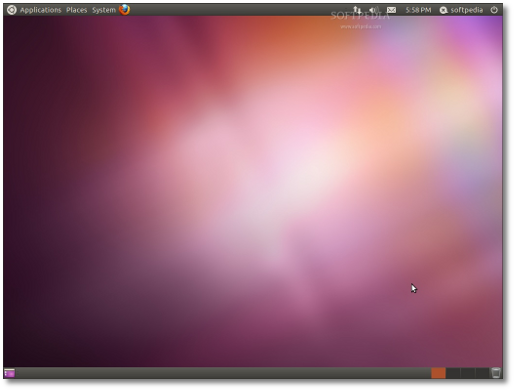
Just upgraded to Ubuntu 11.04 Natty Narwhal distro, and many changes have occurred. One, which I think I understand, is that Ubuntu has switched from the GNOME classic desktop to Ubuntu Unity desktop (which is still GNOME?). Apparently in the next release, the GNOME classic will not be available but GNOME version 3.0 will be the default (as Unity?). Anyways, the Unity desktop is a pretty big change from 10.10, and it has taken me a few days to get use to it. Some features I love, some are a little awkward, but like I said I am slowly getting use to it.

Basically the differences between Ubuntu, Kubuntu, and Xubuntu are the desktop interfaces and installation packages that come with each version. For example, Ubuntu uses the GNOME desktop, Kubuntu uses the KDE desktop, and Xubuntu uses the XFCE desktop which I just read is a more lightweight desktop than the others. Ubuntu now uses the Unity desktop, but you can still use GNOME if you don't like Unity. I am posting this because Unity has scared off some users so some people might want to check out other desktops. I personally like Unity and think it just takes some getting use to.

A link on how to install Kubuntu

How to install KDE on Ubuntu

The simple terminal command is:

sudo apt-get install kubuntu-desktop

and Xubuntu

Installing Xfce on Ubuntu

The simple terminal command is:

sudo apt-get install xubuntu-desktop

From the same website, http://www.psychocats.net, a post on going from Unity to GNOME

How to return to classic Gnome in Ubuntu

and a post on the difference between GNOME and KDE

KDE and Gnome Comparison

This site, http://www.psychocats.net/ubuntu, also has several other post concerning Ubuntu so you might want to check it out!

Some additional links from howtogeek - http://www.howtogeek.com/:

Install KDE (Kubuntu) on Ubuntu - http://www.howtogeek.com/howto/ubuntu/install-kde-kubuntu-on-ubuntu/

Install Xfce (Xubuntu) on Ubuntu Linux - http://www.howtogeek.com/howto/ubuntu/install-xfce-xubuntu-on-ubuntu-linux/

A good, but short, post on the different desktops in Ubuntu 11.04 from http://scottlinux.com/:

Ubuntu 11.04 Change From Unity To Classic Gnome - http://scottlinux.com/2011/03/05/ubuntu-11-04-change-from-unity-to-classic-gnome/


http://www.xubuntu.org/

Xubuntu is a community developed operating system that is well-suited for laptops and desktops. Whether you use it at home, at school or at work Xubuntu contains all the applications you'll ever need, from word processing and email applications, to web server software and programming tools.

Xubuntu is and always will be free of charge. You do not pay any licensing fees. You can download, use and share Xubuntu with your friends, family, school or business for absolutely nothing.

We issue a new Xubuntu release every six months. That means you'll always have the latest and greatest applications that the open source world has to offer.

Xubuntu is designed with security in mind. You get free security updates for at least 18 months and with the Long Term Support (LTS) version you get three years support. There is no extra fee for the LTS version, we make our very best work available to everyone on the same free terms. Upgrades to new versions of Xubuntu are and always will be free of charge.

Everything you need comes on one CD, providing a complete working environment. Additional software is available online.

The graphical installer enables you to get up and running quickly and easily. A standard installation should take less than 25 minutes.

Once installed your system is immediately ready-to-use. We provide you with a desktop offering that includes a full set of productivity, internet, drawing and graphics applications, and games.


http://www.xfce.org/


http://www.kubuntu.org/

Kubuntu is a community developed and supported project. Since its launch in October 2004, Kubuntu has become one of the most highly regarded Linux distributions with millions of users around the world.

Kubuntu will always be free to download, free to use and free to distribute to others. With these goals in mind, Kubuntu aims to be the most widely used Linux system, and is the centre of a global open source software ecosystem.


http://www.kde.org/


Plasma Desktop


http://www.gnome.org/


GNOME Ubuntu Classic

Google Chrome vs Chromium web browsers

Here is a good explanation on the differences between Google Chrome and Chromium web browsers.

Why Can't We All Use Chromium Instead of Google Chrome?

Also a post on installing Chromium

Install Chromium Web Browser in Ubuntu in 3 Easy Steps(Lucid,Karmic,Jaunty)

Ubuntu 11.04 - My first thoughts, tips, tricks, help, and more (Unity)

Ok so I upgraded to Ubuntu 11.04, and so far it is eh, ok. The things I like are the snap windows like Windows 7 has which are very helpful to me since I use them to split things on the screen when using my laptop.


(Edit: 7-17-11, I think Unity just takes some getting used to and this is a very un-mature version since it is the first, I expect things to get significantly better with 11.10 and 12.04 LTS. Also it is a personal preference too. Many still like GNOME, KDE, or XFCE which is, of course, fine, but I figured that I might as well get use to Unity since it is going to be the norm for Ubuntu from now on.

End edit.)


The new Ubuntu desktop interface called Unity takes some getting use to, and it is growing on me. There is a button at the top you click on to find other programs and such.


Ubuntu is going towards maximizing window space in 11.04 so they did away with visible scroll bars (well except now my scroll bars are present; I installed the KDE and Xfce desktops since at first I was a little frustrated with Unity so I think it has a tendency to switch styles on me even though I am in Unity??) and moved window commands to the top bar.

EDIT: The scroll bars appear on some programs such as Chrome, Foxit, etc. but are "hidden" in the file managers.

Ubuntu also did away with the bottom bar of open windows so I had to get use to using the keyboard command ATL + TAB to shift from on to the other (the same command works in Windows 7 as the same function). You can also awitch workspaces by pressing CTRL+ATL + arrow keys.

EDIT: Unity seems to push the user to using more keyboard shortcuts. I personally like this since you can sometimes be more efficient with keyboard commands. However, others may not like using the keyboard much and would rather use the mouse more which 11.04 still allows for the most part. All personal preference.


So Ubuntu also went Windows 7-ish with the side bar which contains a list of programs saved like you had at the top bar in previous Ubuntu versions, and it shows you what windows you're in and how of those windows are open.


I found the scroll bar example. Seems it doesn't apply to Google Chrome or Foxit.


When you click on the button with several windows it will give you a preview of all open windows and or open all minimized windows of that program or bring them to the front.


Anyways the sidebar can be a little frustrating at times since it auto hides, which is great, but when you have a lot of program buttons installed it will zoom to the section nearest your mouse cursor. So sometime it can be frustrating because it takes two or three attempts to get to the section you want where your program button is visible. This is only minor and you get use to it after awhile and get pretty good at it.


(Edit: 7-17-11 Also scroll down for links to Ubuntu keyboard commands and shortcuts which should help if there is still mousing difficulty.

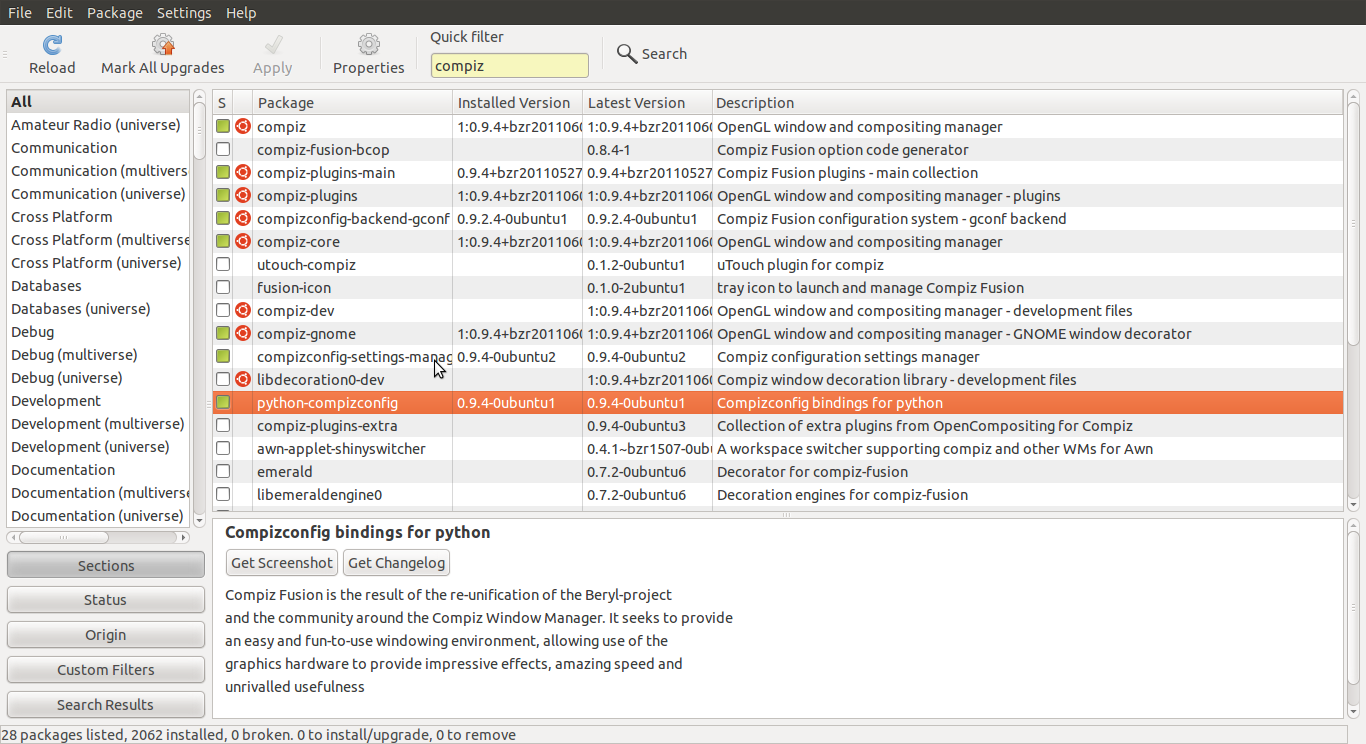
Or you can also disable the auto-hide feature if you like the bar to remain visible at all times. To do this simply install the compizconfig-settings-manager or CCSM. To do this, since it is now installed by default, simply go to the Synaptic Package Manager type in compiz and the CCSM should appear in the list. You may have to scroll down to find it or it may be the first one to appear, I forget which it is. Op, it is about the 11th down.


Anyways, mark this to be installed and apply it. It will also install python-compizconfig which is the Compizconfig bindings for python. It is a two rows down.


I have no clue what it is or does. Just do it, :P! Then you can run CCSM and find the Ubuntu Unity plugin. Click and find the hide settings.


Links where I found this. I have also added more feeds to my blog list.

Tweak Unity to better suit your needs. Don't give up! - http://ubuntu4beginners.blogspot.com/2011/04/tweak-unity-to-better-suit-your-needs.html

How To Change The Settings Of Ubuntu Unity With CompizConfig Settings Manager - http://www.makeuseof.com/tag/change-settings-ubuntu-unity-compizconfig-settings-manager/

Links on Ubuntu 11.04 Unity and impressions:

Ubuntu 11.04 Unity – A Big Leap Forward For Linux - http://www.makeuseof.com/tag/ubuntu-1104-unity-big-leap-linux/

Ubuntu Wicoh'an - My thoughts on Unity - http://ubuntuwicohan.blogspot.com/2011/04/my-thoughts-on-unity.html

A nice 7-page review from ars technia-> Riding the Narwhal: Ars reviews Unity in Ubuntu 11.04 -http://arstechnica.com/open-source/reviews/2011/05/riding-the-narwhal-ars-reviews-unity-in-ubuntu-1104.ars/

Unity customization information:

Unity personalization: how much can you really do? - http://www.omgubuntu.co.uk/2011/03/unity-personalization-how-much-can-you-really-do/


For those that long for GNOME...in Unity, and some "reflections" on Unity opinions in the comments section:

‘Classicmenu indicator’ puts old-school GNOME menus in Unity - http://www.omgubuntu.co.uk/2011/06/classicmenu-indicator-puts-old-school-gnome-menus-in-unity/

Edit done.)


I found this site/blog really interesting and helpful. They several good topics about Ubuntu posted, and the site is regularly updated.

http://www.techdrivein.com/

Here are a few of their post.

31 Useful Ubuntu 11.04 Unity Keyboard/Mouse Shortcuts

18 Applications You Need to Install and Experience After Installing Ubuntu

12 Things I did After Installing New Ubuntu 11.04 "Natty Narwhal"

Edit/Update: 7-17-11

I've added some more blogs to the blog list, so check them out.

Here is a useful post on keyboard shortcuts for Unity from http://ubuntu4beginners.blogspot.com.

Unity desktop mouse tricks and keyboard shortcuts - http://ubuntu4beginners.blogspot.com/2011/04/unity-desktop-mouse-tricks-and-keyboard.html

The link above in turn links to a great Ubuntu community called AskUbuntu (http://askubuntu.com/) and a post there.

Unity keyboard/mouse shortcuts - http://askubuntu.com/questions/28086/unity-keyboard-mouse-shortcuts

Wednesday, June 1, 2011

Ubuntu - Weird sounds from speaker

Ok, this is really weird. Randomly, my music or whatever was coming out of my speakers began sounding warped or muffled. It had like a weird echo or something. Anyways, I couldn't get rid of it by restarting programs. I finally got something to work by opening the sound preferences and changing the audio profile under the hardware tab. Why the sound started and why the "fix" worked, I have no idea?!

edit: This was happening on my laptop only.

Friday, May 20, 2011

Ubuntu Unity - Sidebar getting stuck

Edit: 9-15-11, looks like Ubuntu's latest update has fixed this!!
One thing that frustrates me about Ubuntu 11.04 and Unity is when I am in Mendeley Desktop and want to combine authors or do something on the LHS the sidebar will pop up and remain there blocking part of the window. At first I thought it was broken, but it is, not really buggy, just flawed. The way I figured how to get it to hide again is go to somewhere like an internet page and click and drag across some text to highlight, then click in the highlighted text and drag away like you're going to place it somewhere else where you'll see the hand in a fist, the transparent text, and a plus sign, and the side bar will hide again once you release the button.


Also see here where I posted on AskUbuntu - http://askubuntu.com/:

What to do when Unity's Launcher gets stuck open? - http://askubuntu.com/questions/41962/what-to-do-when-unitys-launcher-gets-stuck-open/44165#44165

Monday, May 9, 2011

Quickie - Keyboard shortcuts - Google Chrome

Hold

ctrl + left or right arrow

to switch between tabs.

Wednesday, April 27, 2011

Quickie - Keyboard shortcuts, Kile

Just found another keyboard shortcut for Kile. When wanting to move between tabs, simply press and hold atl + the left or right arrows.